Active@ Boot Disk 23
Provides a full range of disk utilities
 Download
Program info

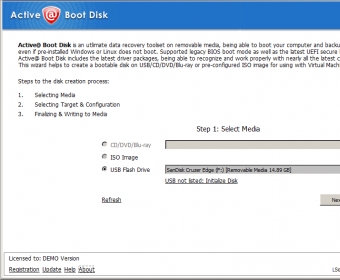
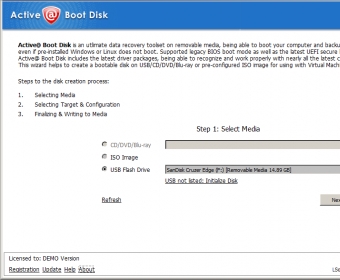

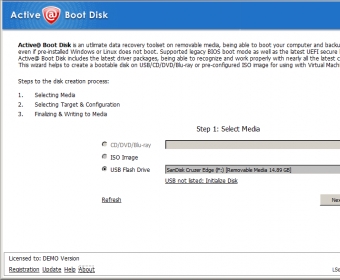


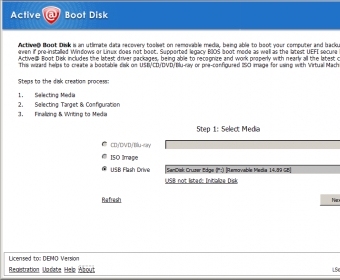

Active@ Boot Disk provides an impressive range of utilities for your hard disk and other storage devices. Using this software, you can create a fully bootable operating environment allowing you to start up your computer from a CD, DVD or USB flash drive even if your operating system is damaged and completely refuses to start. The independent boot environment means that it does not rely on the contents or state of your hard disk. You will be able to access all of your data using the built-in tools. The main utilities provided in this convenient all-in-one package include a data recovery solution, a secure data erasure facility and a complete disk imaging program. It provides everything that you need for data recovery, privacy and backup. The program presents a much more affordable and practical solution than having separate programs for each type of task. It is easy to use as well, making it ideal for everyone from casual users to system administrators and experts.
New version includes the latest software versions:
Active@ Disk Image
Active@ File Recovery
Active@ Partition Recovery
Active@ KillDisk
Visit https://www.boot-disk.com/index.html for more.


Related software
Create fully functioning operating system on CD, DVD, or USB drive.

Recovers user or administrator passwords on local Windows accounts.

The program can create an emergency boot disk and recover your lost files.
Related stories
See all
Feels like migration to Windows 11 in imminent; here are some tools that allow debloating and optimizing it before installation.
Here are some Windows 11 enhancements tools (PowerToys, Windhawk, Flyoobe, Winaero Tweaker, UWT) for ultimate customization and control post-installation.

Flyoobe is, arguably, one of the most popular Windows 11 installation customization tools out there. Learn what it can do, and how (everything's simple).